
A tabla player collects compositions for a lifetime, from a guru’s dictation, an old notebook or a friend after a concert, and pieces kept on loose pages scatter. In Tabla Focus they live together in one library, written in the tabla’s own bol notation,1 and any one of them can go to another player as a single .tabla file.
One library for every piece
Compositions is the Library’s shelf of pieces: kaidas, relas, tukras, laggis and the rest, each with its form and taal and written out bol by bol. Filters narrow the shelf by type, taal, target tempo and mastery.
Every piece moves through three stages: Study Reserve, Active Study and Performance Ready. The Library opens on the piece in Active Study, so what to practise next is the first thing on screen. A piece can also carry a goal: a tempo to reach by a date, with steps on the way.
How do you write a composition in bols?
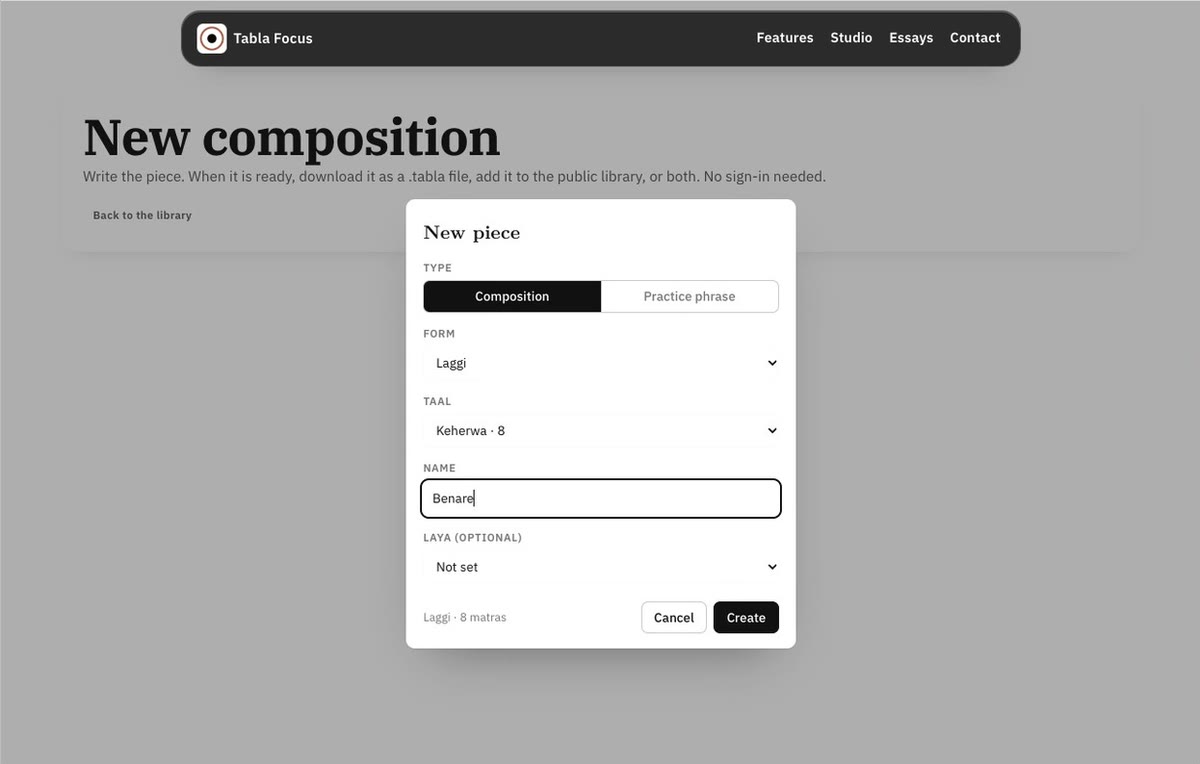
A new piece starts with a name, a type and a taal. A target tempo is optional. Then the notation opens on the bol keyboard.
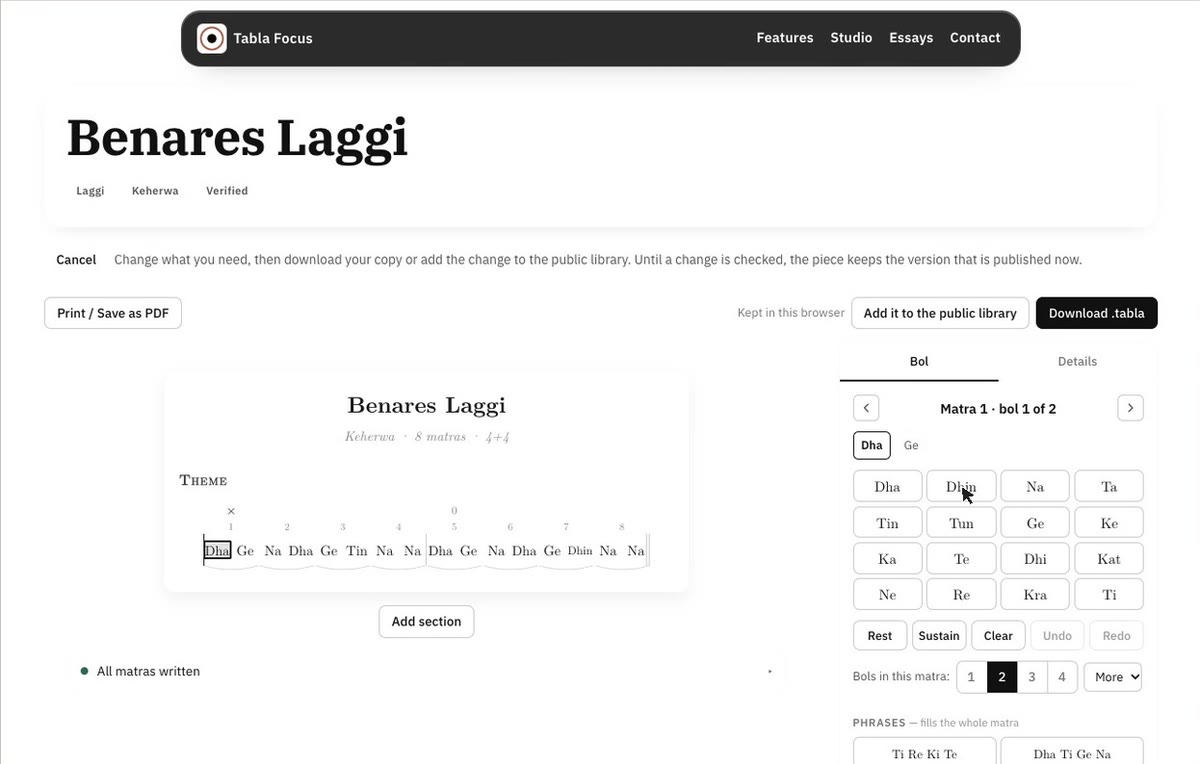
As you tap Dha, Dhin, Na, each bol fills the next place in the cycle, matra by matra, with the taal’s sam and khali marked above. Above the keys sit Rest, the matra’s subdivision, undo, redo and delete. Practice Phrases opens a set of whole phrases, each written in with one tap. The same notation reads in Latin or Devanagari, and any piece can be opened and edited again later.
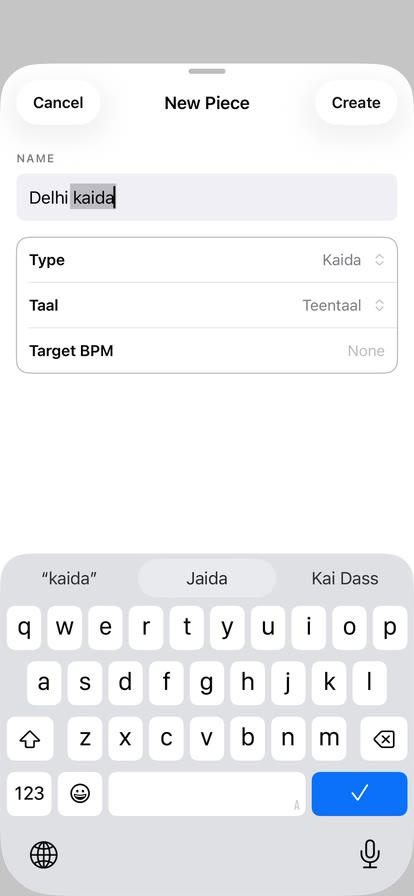
Name, type and taal
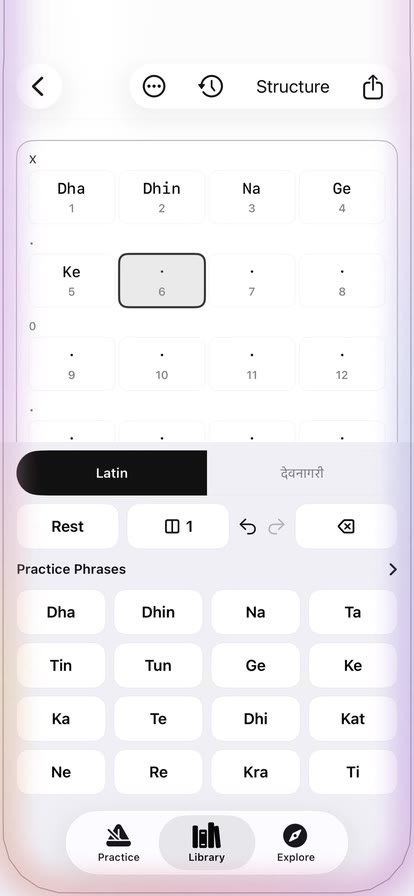
The bol keyboard
Share and download as a .tabla file
Hold a piece in the Library and choose Share .tabla File. The file goes wherever the phone can send one: Messages, WhatsApp, AirDrop, Mail, or into Files to keep. Anyone with Tabla Focus can open it.
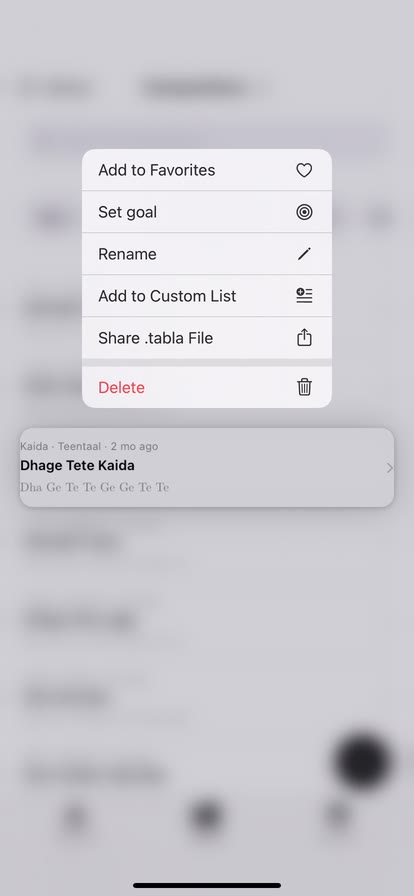
Share .tabla File
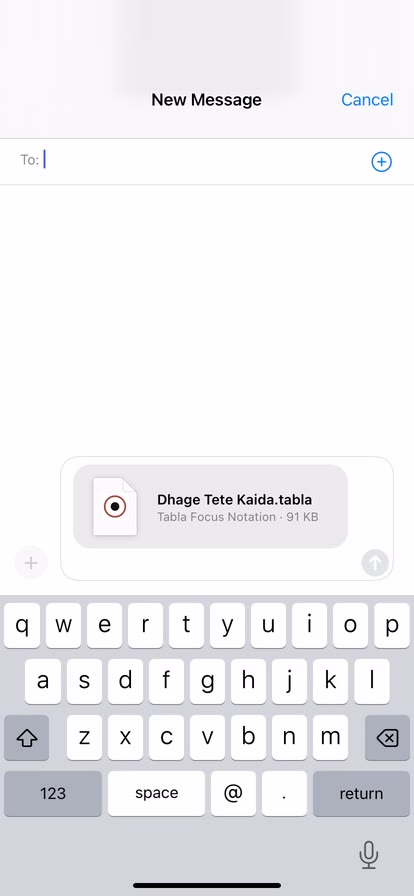
The file in a Messages draft
The file carries what the sender wrote but leaves out how the sender is getting on with it.
Travels with the file
- The piece’s name, form and taal
- Every section, bol by bol
- Notes and the piece’s source
- Its goal: the tempo, the date and the steps
Stays with the sender
- Mastery stage
- Favourite
- Progress marked against the goal
- Whether the goal is active or let go
When you tap a received file, Tabla Focus opens it in Add to Compositions, with the whole piece on screen before anything is saved. After Save, it joins the library as the receiver’s own piece, ready to edit, practise and send on. It starts at Study Reserve, or at Active Study when the file brings a goal and the student keeps it. It saves on the iPhone first, then syncs with the player’s own iCloud.
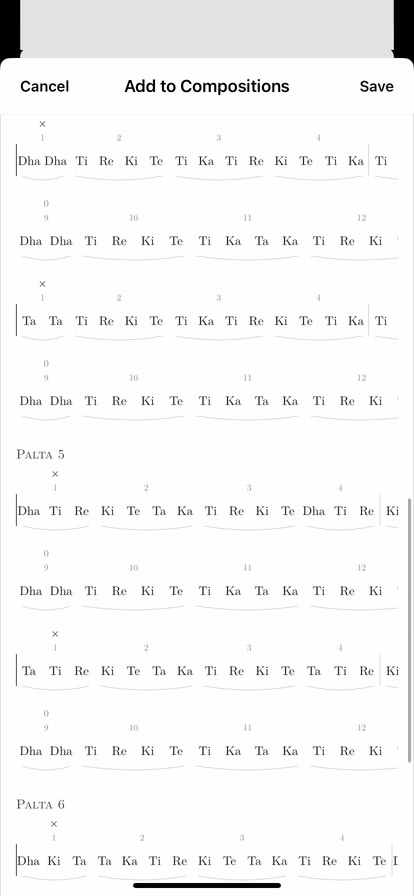
Read it before saving
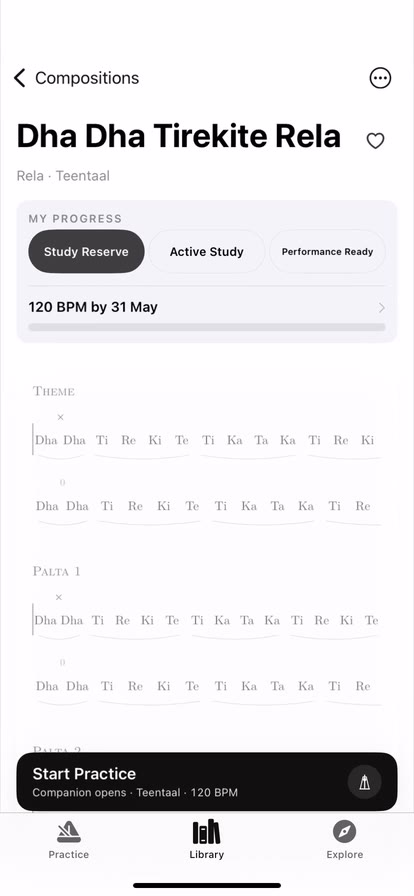
Saved, at Study Reserve
The format is published on the Tabla Focus Notation page, which sets out its identifiers, versions and security properties. A file contains no executable content, and its encryption checks that the file arrived whole; it is not a lock on the music.
For teachers
A composition in a user’s library is private unless the user shares it, and it is stored on the user’s own iPhone and iCloud. Write the week’s kaida once, add a note on how it should sound, and set the goal: the tempo to reach, by when, in what steps.
When you send it, the goal goes with the notation. When the student opens the file, Add to Compositions shows the goal the teacher set, under the piece, with an Add goal switch that is on by default. If the student switches it off, the piece is saved without the goal.
Write the piece
Notation, sections and a note on how it should sound.
Set the goal
A tempo by a date, with steps on the way.
Send it
The student adds the piece, and the goal with it.
Custom Lists gather pieces into a cheat sheet, for a concert, that prints or shares as an index. Pieces a student has brought to Performance Ready join one book, typeset and ready to print.
Verified compositions
A library can also start from pieces someone else has checked. Verified compositions is a shared library of compositions in bol notation, each one checked before publication. Add them from Settings, or from the empty Library. Each becomes an ordinary piece that starts at Study Reserve and can be edited, marked as a favourite and shared.
Deleting one is not final. If you add verified compositions again, the app brings back the pieces removed earlier, as new copies of the checked version. If a checked piece is later taken out of the shared library, everyone who added it keeps it, with their edits and notes. A checked correction reaches people who add the piece after it, while a copy already in someone’s library stays as they left it.
On the web, without the app
The same notation lives on the open web, in Focus Studio at tablafocus.com/compositions. Compositions there is a public library where anyone can read a piece, print it or save it as a PDF, and write their own. No sign-in is needed, and work in progress is kept in the browser.
A finished piece can be downloaded as a .tabla file, added to the public library, or both. A downloaded file opens in the app like any other, and Open .tabla File reads one back in the browser.
A new piece in the public library shows as unverified until someone has checked it. An edit to a published piece waits the same way, so until the change is checked the piece keeps the version that is published now. Checked pieces are where the app’s Verified compositions come from.
What it does not do
The library holds notation, never sound. Tabla Focus does not play or synthesise tabla bols, and it never grades or judges playing. A shared file carries no one’s mastery or practice record. A checked change never rewrites a copy someone already has.
Compositions is on the Library tab, and is part of membership. Compositions on tablafocus.com needs no account.
Sources
- Gordon Thompson. “Drum Compositions.” MU 309: Music of India, Skidmore College, updated 25 April 2013. https://thompsong.domains.skidmore.edu/dept/courses/mu309/Campus/2%20North%20India/2-8%20Tabla/11-talabandis.htm. Accessed 20 November 2026.